When a technician crosses the customer's geofence, time-on-site starts; when they leave, it closes — as a signed, timestamped event that flows straight into your field-service platform and billing. No "did you remember to clock in."
Stop chasing timesheets — the geofence is the timesheet.
Billable hours, SLA windows, and payroll all hinge on when a technician arrived and left. Manual clock-ins miss it; the real times live in nobody's system.
"Did you remember to clock in?" Manual timesheets come in late, rounded to the quarter-hour, and easy to game.
Billable time-on-site shouldn't rest on memory. A signed record backs what your tech already reported — to the minute.
SLA windows and "we were on site at 9" deserve a timestamped record, not a dispatcher's callback.
The same real path every job runs — geofences, devices, events, signed webhooks, evidence.
A geofence around every job address — service, maintenance, install.
Registered devices report location as the route runs.
Arrival on site, time-on-site (dwell), and departure — clocked automatically.
Each event pushes into your FSM & billing — HMAC-verified, retried, dead-lettered on failure.
Every event is backed by an explainable trace — defensible evidence, not a guess.
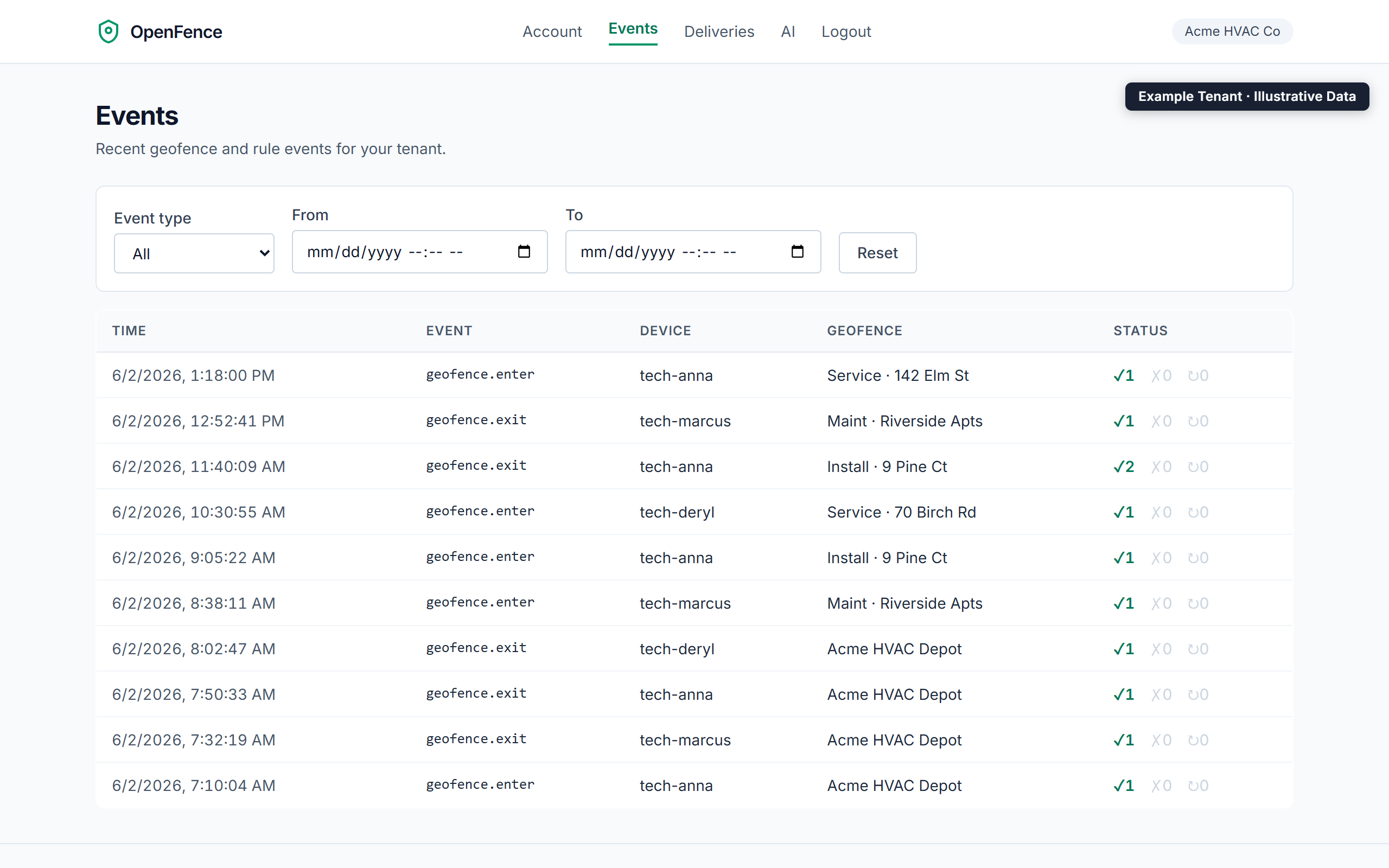
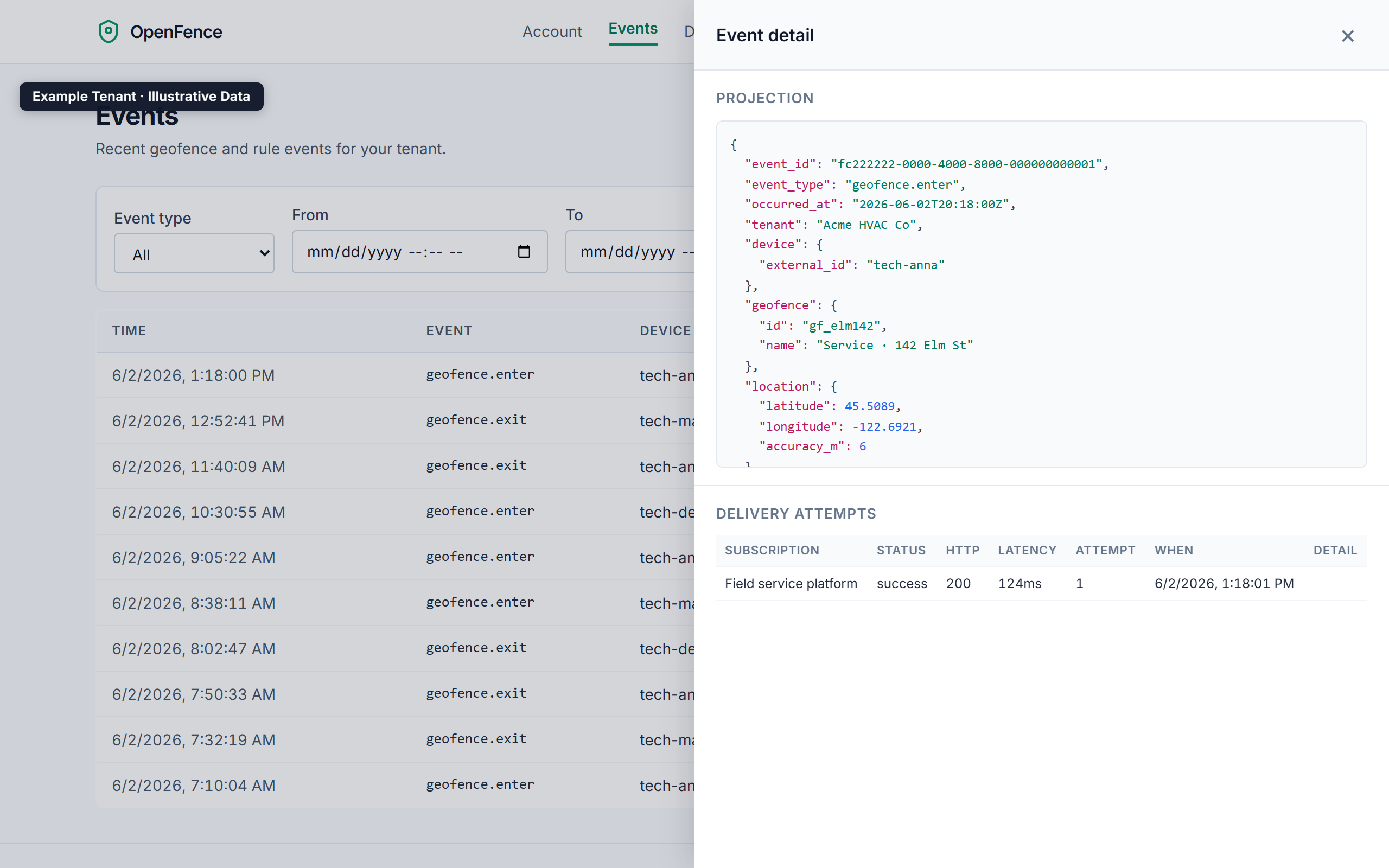
Every technician arrival, time-on-site, and departure lands as a timestamped, signed event — and each one pushes a delivered webhook into your platform. Here's what that evidence trail looks like in the dashboard, for an example HVAC company:
Illustrative — example tenant (Acme HVAC Co) with sample data. The dashboard UI is the real product.
Nothing here is field-service-only plumbing. OpenFence is domain-agnostic by design — the same PostGIS
geofences, enter/exit/dwell
events, signed-webhook contract, rules engine, and explainable traces serve any fleet. This page just speaks field service's language; the engine speaks any vertical's.
Start free — $0 today, 14-day trial. Geofence a customer site and watch the time-on-site clock itself.